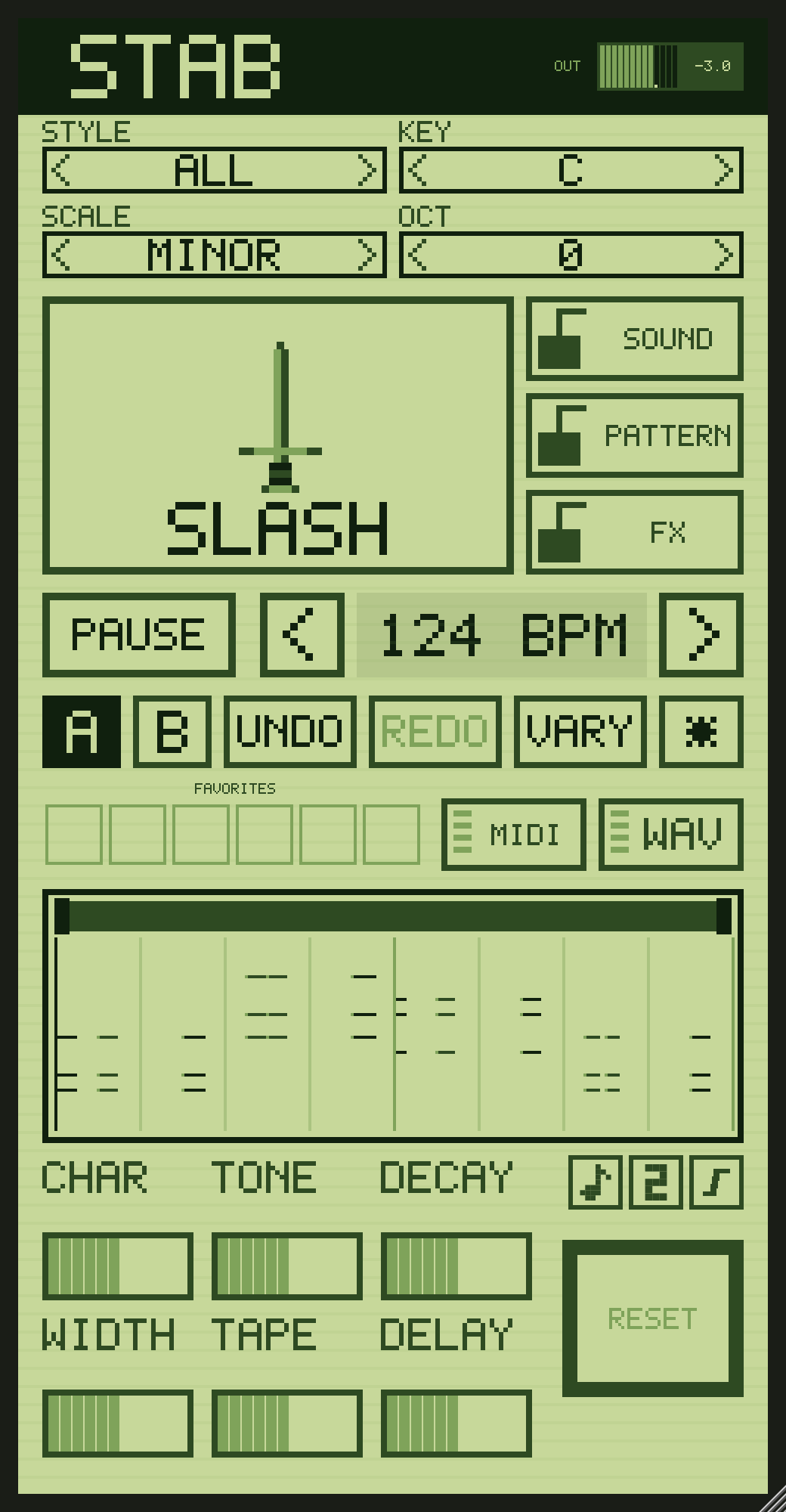
The same instrument as STAB for Mac and Windows, on your phone. Press SLASH for a new stab. Plug in a K.O. II and it locks to its tempo, plays in time with your pattern, and sends any stab straight into a slot.
Over a USB-C cable, STAB takes the K.O. II's tempo and its play and stop. Shift + PLAY restarts it with your drums. The slow-down punch-in bends it with the beat. It never drifts, because it runs off the K.O. II's own clock.
Your K.O. II's sample library, by name. Pick a slot and send a loop, a whole song, or a single hit to play on the pads and in KEYS. Changed the tempo or the key? Hold the K.O. II button and it goes again, clean.
Name it, save it, and it is in Files under STAB. From there: AirDrop to the studio, another app, or a card for any sampler.
The engine and the sound of STAB for Mac and Windows: the same styles, the same locks, the same six effects, A and B, song mode and favourites. A stab made on the phone sounds the same in the studio.
With the K.O. II plugged in, the phone sends STAB's sound down the cable. By default the K.O. II only samples what comes in over USB, so switch on monitoring once (firmware 2.5 or later):
STAB plays through the K.O. II, in time with your drums and bass. Change the stab, the key and the effects on the phone as it runs.
Send it to a slot and it is a K.O. II sample like any other: chop it, sequence it, and play it with the K.O. II's punch-in effects. For melodies, send a single hit and play it in KEYS, where pitching stays clean.
Run an audio cable from the phone into an MPC, an SP-404, or whatever you sample with, and record STAB like any other sound. It will not be in time by itself: the tempo sync and the send straight to a slot are for the K.O. II, which is what STAB is built around for now.